The 6 Best Shopify Security Apps in 2026 (And What Each One Actually Does)
If you search the Shopify App Store for “security,” you’ll get hundreds of results. Trust badges, GDPR banners, IP blockers, fraud filters, CAPTCHA widgets — all jumbled together under one umbrella, as if they’re solving the same problem.
They’re not. Security on a Shopify store isn’t a single issue. It’s a stack of different threats, each requiring a different kind of tool. A fraud filter won’t stop contact form spam. A GDPR banner won’t block bots from scraping your product images. A content protection app won’t prevent chargebacks.
The merchants who actually keep their stores secure aren’t using one magic app. They’re using the right app for each layer of the problem.
We spent time going through Shopify’s security category, testing apps, reading merchant reviews, and comparing features. Here are the six apps that stood out — one for each major security concern a Shopify store faces in 2026.
 1. Blockify — Fraud Prevention & IP Blocking
Pricing: Free to install, paid plans from $9.99/mo | Built for Shopify | View on Shopify App Store

If you’ve ever woken up to hundreds of fake orders, bot traffic spiking your analytics, or checkout abuse from specific regions, Blockify is what you need.
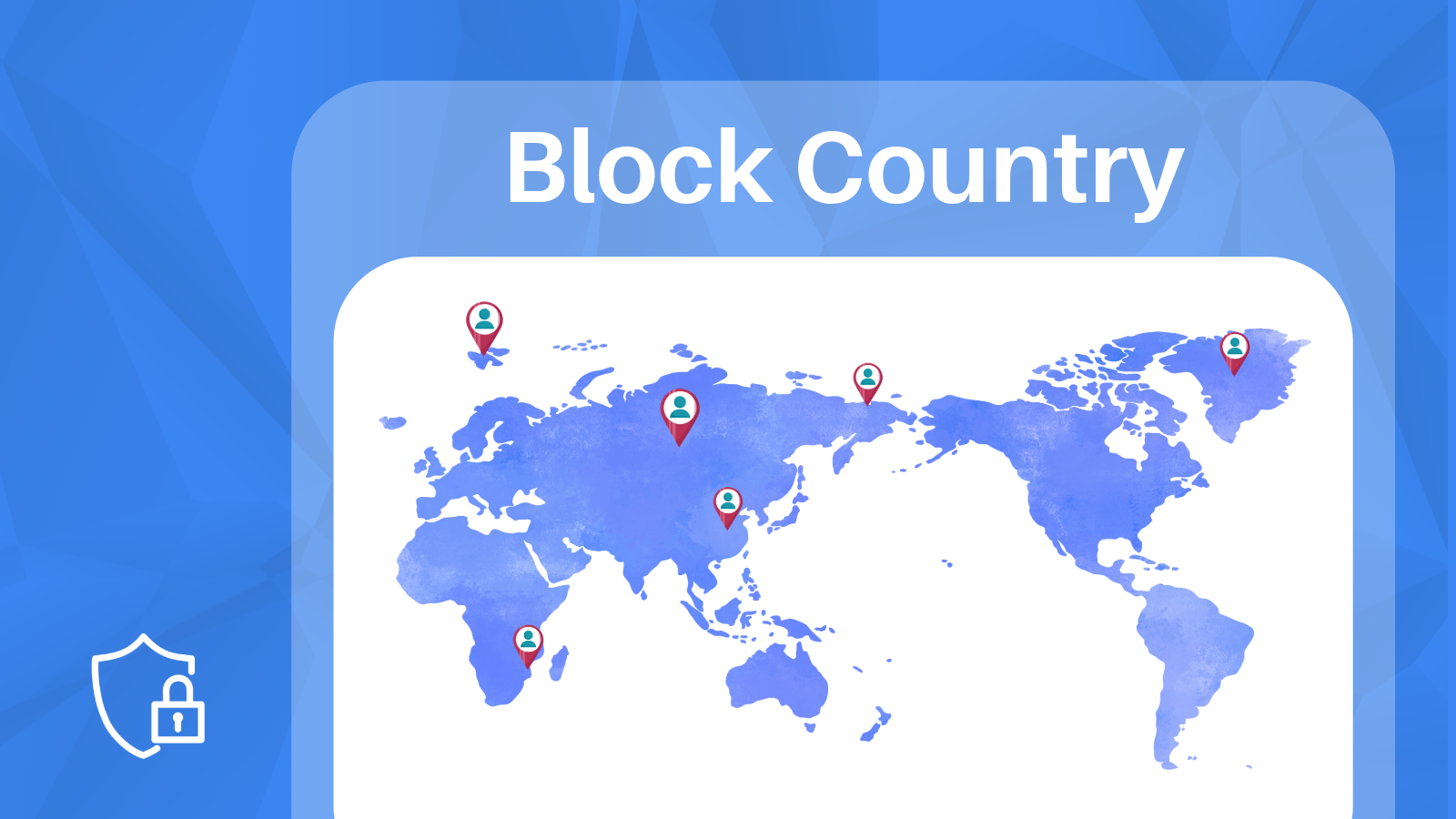
Blockify is the most popular fraud prevention app in Shopify’s security category for good reason. It gives you granular control over who can access your store and what they can do. At its core, it’s a blocking and filtering engine: block by IP address, block by country, block by VPN/proxy detection, block by ISP — and redirect blocked visitors instead of showing them an error, if you prefer.
What makes it stand out
- VPN and proxy detection. Blockify doesn’t just check IP addresses — it identifies visitors using VPNs, Tor exit nodes, and datacenter proxies. This is increasingly important as fraud operations rely on residential proxy networks to appear legitimate.
- Fraud order analytics. Beyond blocking visitors, Blockify analyzes your orders and flags high-risk ones. On higher-tier plans, it can auto-cancel orders that trip certain risk thresholds.
- Visitor analytics. You get a clear picture of who’s visiting your store, where they’re coming from, and whether they match known fraud patterns. This isn’t just security — it’s intelligence.
- Checkout blocking. On paid plans, you can block checkout attempts based on email addresses, phone numbers, or customer names. Useful for repeat offenders.
Who it’s for
Stores dealing with bot traffic, fake orders, or fraud from specific regions. If your Shopify fraud analysis frequently flags orders as high-risk, Blockify gives you the tools to act on that data proactively rather than reactively.
The free plan includes basic IP and country blocking (4 rules). For most stores dealing with active fraud, the Premium plan at $9.99/month unlocks unlimited rules and VPN detection.
 2. Chargeflow — Automated Chargeback Recovery
Pricing: Free to install (success-based fees) | Trusted by 15,000+ brands | View on Shopify App Store

Chargebacks are one of the most expensive problems in ecommerce. A customer disputes a charge, you lose the revenue, pay a fee, and your dispute ratio goes up. Do it enough times and your payment processor starts asking questions.
Chargeflow tackles this from two angles: preventing chargebacks before they happen and automating the recovery process when they do.
What makes it stand out
- AI-powered evidence generation. When a dispute comes in, Chargeflow automatically compiles evidence — order details, shipping confirmation, customer communication, behavioral data — and submits it to the payment processor. No manual work required.
- Chargeback prevention (Chargeflow Prevent). Uses a network of 15,000+ merchants to identify friendly-fraud patterns before they result in disputes. Includes Visa and Mastercard alert integrations that can deflect chargebacks before they’re officially filed.
- Success-based pricing. You only pay 25% of recovered chargebacks. If they don’t win, you don’t pay. For prevention, the first 1,000 orders per month are free, then $0.20 per order.
- Multi-processor support. Works with Stripe, PayPal, Braintree, Affirm, Klarna, and more. Not locked into Shopify Payments.
Who it’s for
Any store processing enough volume to get hit with chargebacks regularly. Particularly valuable for stores selling high-ticket items, digital goods, or subscription products — categories where friendly fraud (customer claims they didn’t order something they actually did) is most common.
If you’re spending hours manually compiling evidence for disputes, Chargeflow pays for itself almost immediately.
 3. Locksmith — Access Control & Content Gating
Pricing: From $12/mo (15-day free trial) | Built for Shopify | 2025 Build Award Winner | View on Shopify App Store
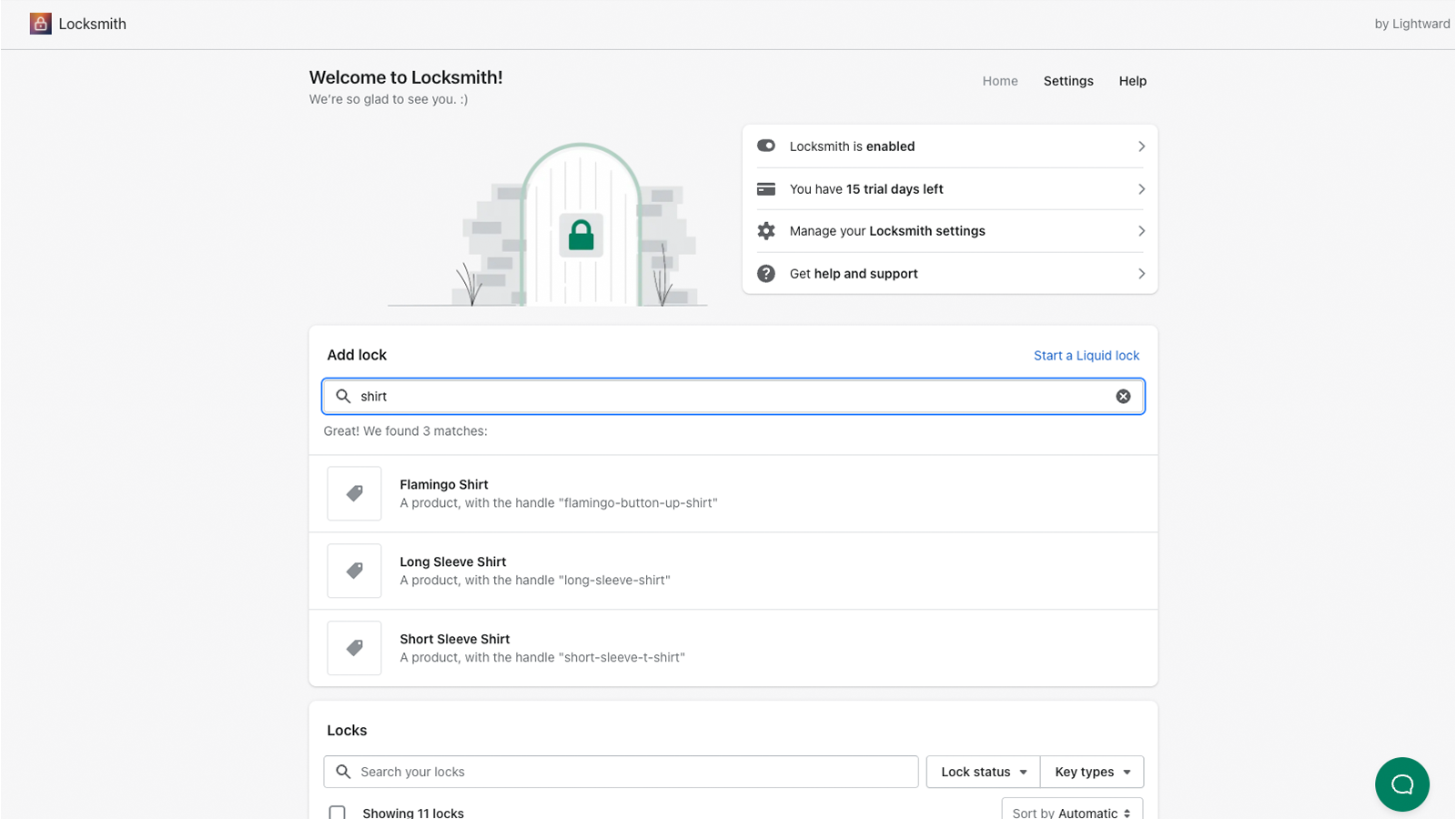
Not every security problem is about blocking bad actors. Sometimes you need to control who sees what — restrict certain products to wholesale customers, gate a collection behind a password, hide pricing from non-logged-in visitors, or limit access based on geography.
Locksmith is the gold standard for access control on Shopify. It won a 2025 Shopify Build Award, and it’s been around since 2014 — one of the longest-running apps in the ecosystem.
What makes it stand out
- Locks and keys metaphor. You “lock” any piece of content (a product, collection, page, or your entire store) and then assign “keys” — conditions under which visitors get access. Keys include customer tags, email addresses, passcodes, secret links, geographic location, purchase history, and date/time ranges.
- Combinable conditions. You can stack multiple keys. For example: show wholesale pricing only to logged-in customers with a “wholesale” tag who are located in the US. Or gate a product launch behind a date and a secret link.
- Developer friendly. Locksmith supports Liquid and has an API for custom logic. If the built-in keys don’t cover your use case, you can extend it.
- Checkout validation. Includes bot protection at checkout — a security feature on top of the access control functionality.
Who it’s for
B2B stores that need to separate wholesale and retail experiences. Membership sites. Stores with pre-launch products. Anyone who needs to show different content to different customer segments. It’s also useful for age verification and region-restricted products.
Pricing scales with your Shopify plan, starting at $12/month for Basic. Lightward (the developer) has a unique “pay what feels good” philosophy — the listed prices are suggestions.
 4. Consentmo — GDPR & Privacy Compliance
Pricing: Free plan available, paid from $9/mo | Built for Shopify | View on Shopify App Store

Privacy compliance isn’t optional anymore. GDPR in Europe, CCPA in California, LGPD in Brazil, PIPEDA in Canada — the list keeps growing, and the fines for getting it wrong are real. If you sell internationally (and most Shopify stores do, even if they don’t realize it), you need a cookie consent solution that adapts to where your visitors are.
Consentmo is the highest-rated GDPR app on Shopify with a near-perfect 5.0 across almost 1,800 reviews. It’s a featured app in Shopify’s security category and supports over 20 privacy regulations out of the box.
What makes it stand out
- Automatic geolocation. Consentmo detects each visitor’s location and shows the correct consent banner for their jurisdiction. A visitor from Germany sees a GDPR banner. A visitor from California sees CCPA. A visitor from Brazil sees LGPD. No manual configuration needed.
- Integration scanner. Automatically checks your Google, Meta, TikTok, and Microsoft pixels and alerts you if something needs fixing — before it becomes a compliance issue.
- AI cookie scanner. Scans your store for cookies, auto-categorizes them, and keeps a history. You can schedule recurring scans and export reports.
- Built-in accessibility widget. On the Plus plan and above, you get an ADA/WCAG accessibility widget included — no separate app needed. It’s a genuine two-in-one.
- Google Consent Mode v2. Supports Google’s latest consent framework, plus IAB TCF v2.3 on the Enterprise plan. If you’re running Google Ads, this matters.
Who it’s for
Every store that has international visitors. But especially stores running ad pixels from Google, Meta, or TikTok — because those integrations generate cookies that need proper consent management. If you’ve been ignoring the cookie banner question, Consentmo is the fastest way to get compliant.
The free plan includes unlimited banner impressions and basic features. The $9/month Standard plan adds the integration scanner and Google Consent Mode v2.
 5. NoSpy — Content Protection & Anti-Theft
Pricing: Free plan available, paid from $2.99/mo | Built for Shopify | View on Shopify App Store
If you’ve ever found your product photos on a competitor’s site, your product descriptions copied word-for-word on AliExpress, or your entire store cloned by a scam operation — you know how infuriating content theft is. Beyond the frustration, duplicate content hurts your SEO, because search engines reward original content and may penalize pages that look like copies.
NoSpy (officially “Disable Right Click & NoSpy”) tackles this by making it harder to extract content from your store. It’s not a bulletproof DRM system — nothing on the web truly is — but it raises the effort required to steal your work significantly enough to deter most copycats.
What makes it stand out
- Spy extension blocking. Blocks tools like PPSPY, Koala Inspector, ShopHunter, and other spy extensions that competitors use to analyze your store’s products, pricing, and best sellers. This is a feature most content protection apps miss entirely.
- Multi-layer protection. Disables right-click, text selection, drag-and-drop images, keyboard shortcuts (Ctrl+C, Ctrl+U, etc.), print screen, developer tools, and inspect element. Each can be toggled independently.
- VPN and bot blocking. On paid plans, NoSpy doubles as a basic fraud filter with VPN detection, IP blocking, and country blocking. Not as comprehensive as Blockify, but useful if content protection is your primary concern and you want some fraud filtering bundled in.
- Extremely affordable. The free plan covers the basics (right-click, text selection, keyboard shortcuts). The Pro plan at $2.99/month adds VPN detection and geo-blocking. That’s less than a cup of coffee.
Who it’s for
Stores with original product photography, unique product descriptions, or proprietary designs. Particularly relevant for print-on-demand stores, handmade goods, and any brand with a visual identity worth protecting. Also useful if you’ve noticed competitor spy tools scraping your store data.
 6. FormSentry — Contact Form Spam Protection
Pricing: Starter from $2.99/mo (35 submissions/mo), Pro from $4.99/mo. 7-day free trial on every plan. | View on Shopify App Store

Here’s a security problem most merchants don’t think about until it’s costing them time every single day: contact form spam.
Your Shopify contact form and blog comment form are public-facing endpoints. Anyone — or anything — can submit to them. And in 2026, the spam hitting those forms isn’t the crude “BUY CHEAP VIAGRA” messages of a decade ago. It’s AI-generated, conversational, and designed to look like a real customer inquiry. It asks about shipping times, then pivots to an SEO pitch. Or it sounds like a partnership request that turns out to be a phishing attempt.
The result: your inbox fills with junk, real customer messages get buried, and your team wastes time sorting through it. If you’re running email automations that trigger on form submissions, spam can even pollute your customer database and send unwanted follow-ups to fake addresses.
FormSentry solves this with a multi-layered detection pipeline that runs invisibly — no CAPTCHAs, no puzzles, no changes to your forms whatsoever.
What makes it stand out
- Invisible protection. FormSentry works without adding any visible elements to your store. No CAPTCHA widgets, no checkboxes, no friction for real customers. It installs as a theme extension and intercepts submissions behind the scenes.
- Six-layer detection pipeline. Every submission passes through honeypot detection, IP rate limiting, behavioral analysis (how the visitor interacted with the page), email and IP reputation checks, content pattern matching, and — when needed — AI classification. Each layer adds confidence, and the pipeline short-circuits on obvious spam to save resources.
- Full transparency. Every blocked submission is logged in your Shopify admin with a spam score and clear reasons for the decision. You can see exactly why something was flagged — not a black box.
- Allowlists and blocklists. Whitelist trusted senders by email, domain, or IP. Blacklist known offenders. Adjust the sensitivity threshold from relaxed (let borderline messages through) to aggressive (block anything suspicious).
- Works automatically. Setup takes under a minute. There’s no configuration required to start blocking spam — it works out of the box with sensible defaults.
Who it’s for
Any Shopify store with an active contact form. If you’re getting more than a handful of spam submissions per week — or if you’re running email automations that trigger on form submissions — FormSentry pays for itself in time saved alone.
The Starter plan at $2.99/month covers 35 submissions per month with full spam protection. The Pro plan at $4.99/month supports up to 3,000 submissions, 30-day history, and custom sensitivity controls. Every plan starts with a 7-day free trial.
How these apps work together
The reason we picked these six isn’t just that they’re individually good — it’s that they cover different parts of the security surface with almost no overlap.
Here’s how they map to the actual threats a Shopify store faces:
- Fraudulent orders & bots — Blockify blocks bad traffic before it reaches checkout
- Chargebacks & payment disputes — Chargeflow prevents and automatically recovers disputed charges
- Unauthorized access to content — Locksmith gates products, pages, and pricing behind access rules
- Privacy regulation violations — Consentmo shows the right cookie consent banner for each jurisdiction
- Content theft & store scraping — NoSpy blocks spy tools, right-click, and content extraction
- Contact form & comment spam — FormSentry filters spam submissions invisibly using AI
You don’t necessarily need all six. A small store with light traffic might start with Consentmo (because GDPR compliance isn’t optional) and add others as specific problems arise. A high-volume store dealing with fraud, chargebacks, and spam simultaneously might benefit from the full stack.
The point is: security isn’t a single checkbox. It’s a set of specific problems that each deserve a specific solution. The apps on this list are the best at solving their particular piece of the puzzle in 2026.
What about Shopify’s built-in security?
Shopify does include some security features out of the box — and they’re good. SSL certificates, PCI compliance, fraud analysis on orders, hCaptcha on forms, and basic bot protection are all included with every plan.
But Shopify is a platform, not a security company. Their built-in tools cover the basics and leave the specialized problems to the app ecosystem. That’s not a criticism — it’s by design. The same way Shopify’s built-in email marketing covers the basics but serious email marketers use Klaviyo, Shopify’s built-in security covers the basics but stores with real security concerns use specialized apps.
The six apps above fill the gaps that Shopify intentionally leaves open for third-party developers to solve.
Choosing the right security stack for your store
If you’re just getting started, here’s a practical priority order:
-
Start with compliance. Install Consentmo or a similar GDPR app. This is non-negotiable if you have any international traffic. Fines for non-compliance can reach into the millions for larger companies, and even small stores can face enforcement actions.
-
Address your biggest pain point. Getting spam? Install FormSentry. Dealing with chargebacks? Install Chargeflow. Seeing bot traffic? Install Blockify. Don’t try to solve everything at once — fix the problem that’s costing you the most time or money right now.
-
Add layers as you grow. As your store scales, new security concerns emerge. A store doing $1,000/month probably doesn’t need chargeback automation. A store doing $100,000/month absolutely does.
-
Review quarterly. Threats change. New types of spam emerge. New privacy regulations take effect. Check in on your security stack every few months and make sure it still covers your actual risks.
Security isn’t glamorous and it rarely drives revenue directly. But every merchant who’s dealt with a wave of chargebacks, a flood of spam, or a GDPR enforcement letter will tell you the same thing: the cost of prevention is always less than the cost of the problem.
Ready to stop the spam?
Set up in under a minute. No code changes needed.
Install FormSentry7-day free trial on every plan — no credit card charged upfront.